

Vision Controller
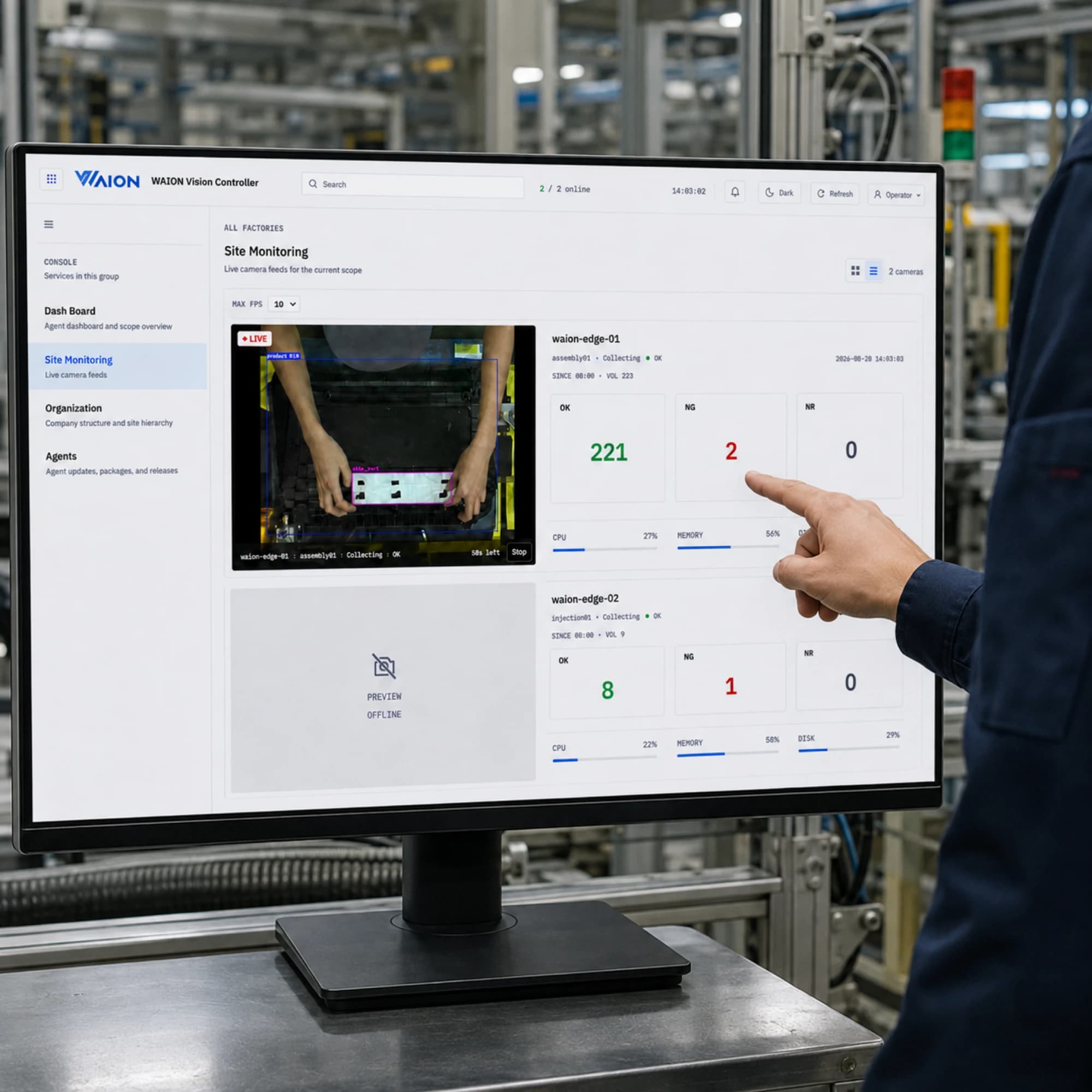
Vision Controller
Production line inspection status and agents on one screen
Verdict counts, live camera feeds, agent deployment, storage and archive. Installed on the site server and used from a browser.
A walk through the screens
From inspection status to agent, storage, and archive management — these are the actual operating screens.
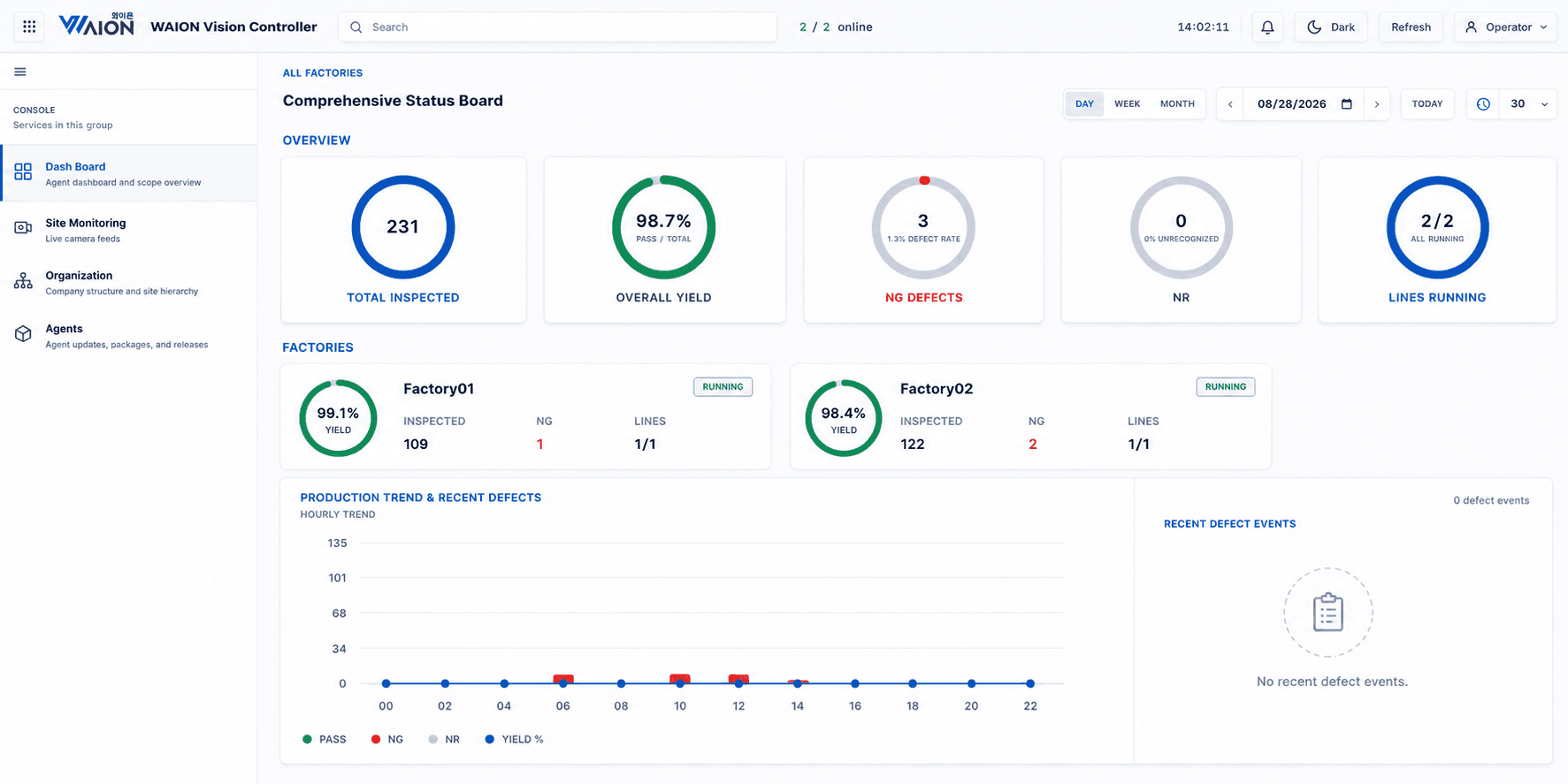
Comprehensive Status Board
Total inspections, yield, defects, and line status on one screen, broken down by factory. Because each factory carries its own yield, a drop in the overall number narrows to a specific site and line without digging. Switch between day, week, and month to read the trend, and set the refresh interval to leave it up on a control-room display.
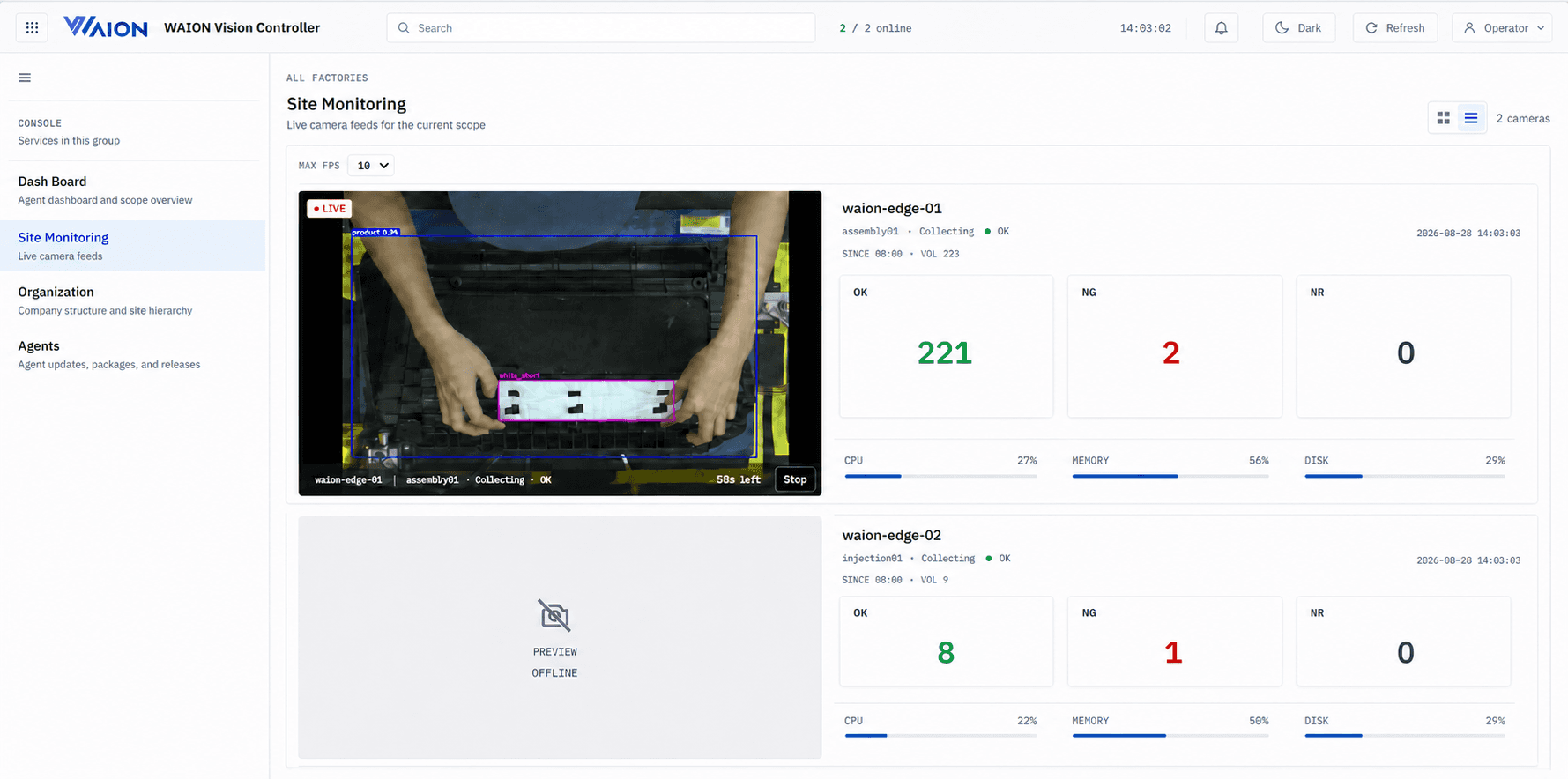
Live camera feeds
Watch each line's camera in real time, with the model's detection boxes drawn on the frame. The verdict counts sit next to the footage that produced them, so an NG can be checked by eye rather than taken on trust. Edge server CPU, memory, and disk stay in view — equipment health is read from the desk, not from the floor.
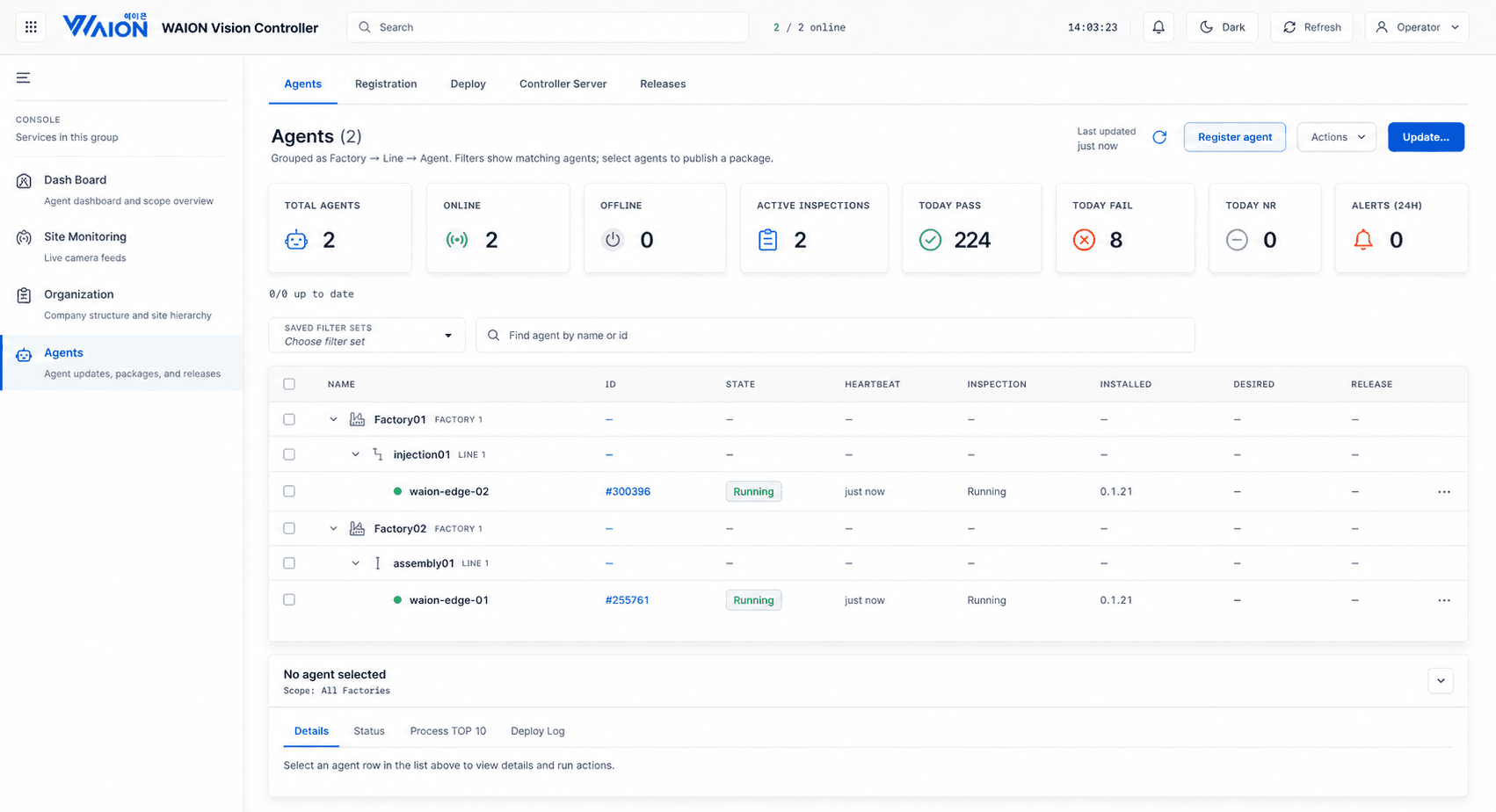
Agent management
Agents are grouped as factory → line → agent, so the list stays organized as lines are added. Installed version and desired version sit side by side, making it obvious which devices have fallen behind. Select the ones you want and publish a package to all of them at once.
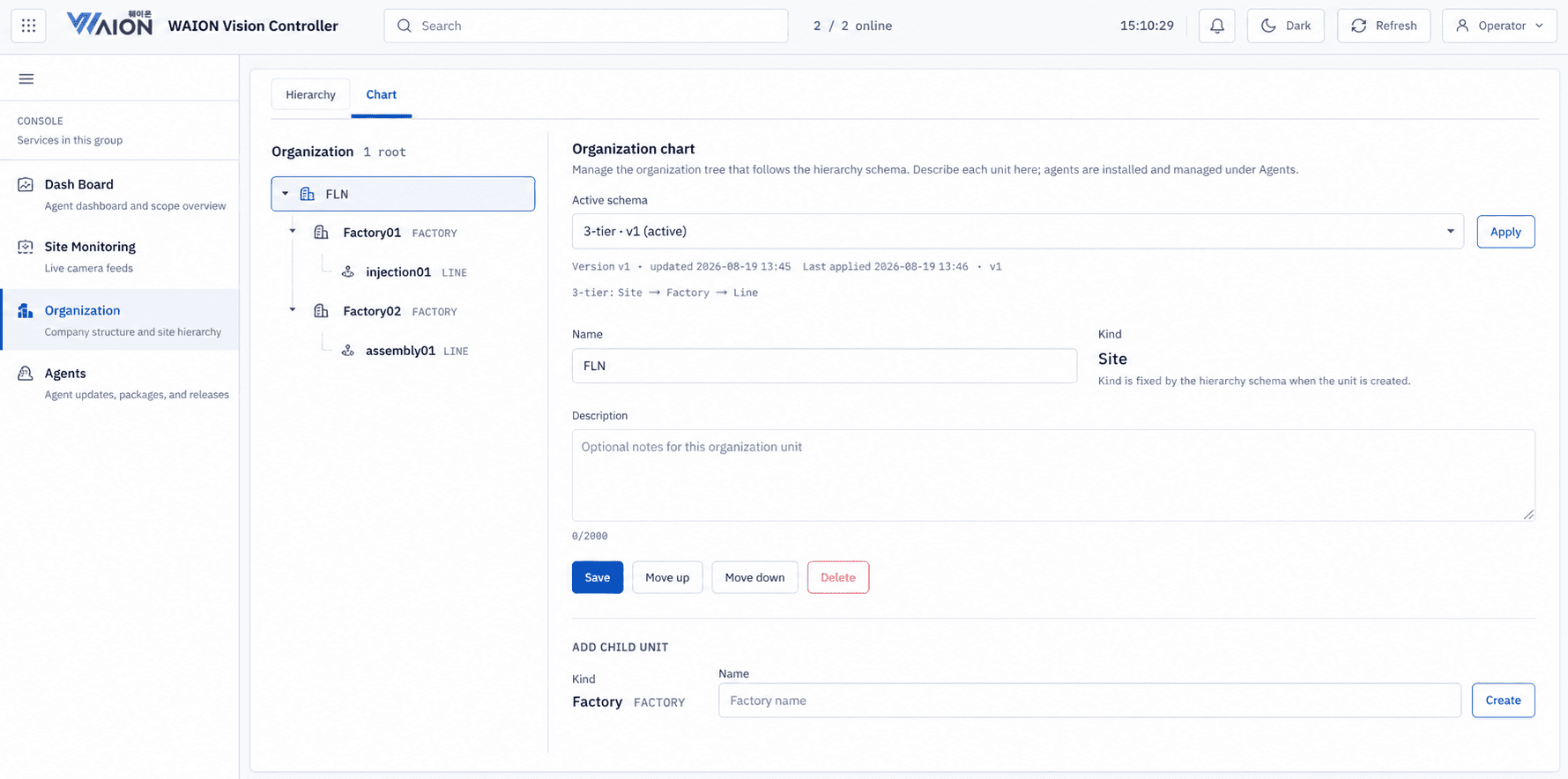
Organization & hierarchy
Define how many levels the organization has and what each is called, right on the screen, without touching code. Agents attach under the deepest level, so the tree you define is the tree you filter and report by.
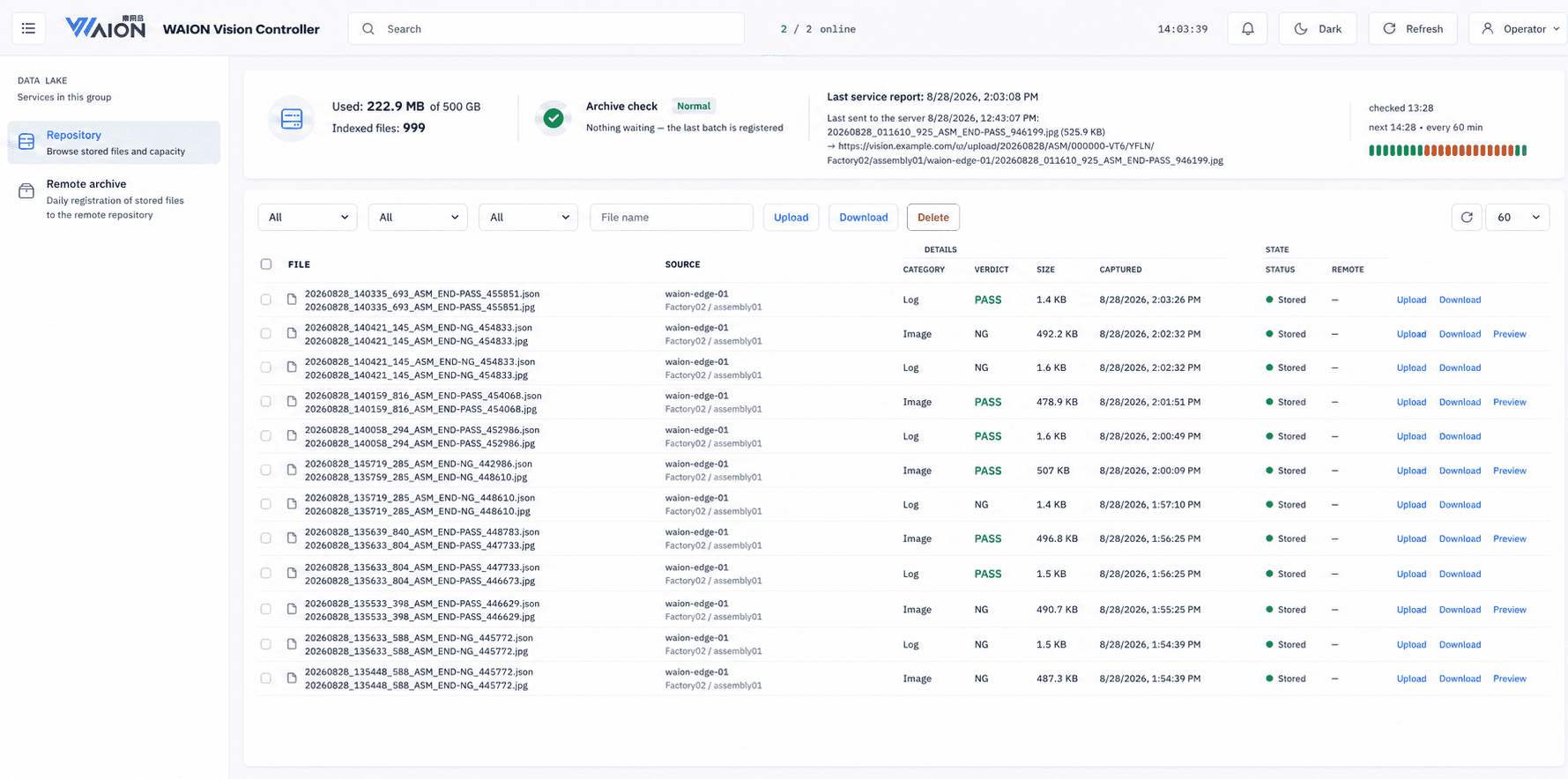
Repository
Browse stored images and logs by verdict and capture time, then download or preview them. Image and log are kept as a pair, so the evidence behind any single verdict can be pulled up later. That is what is needed when a shipment is questioned months on. Capacity in use and index status are shown together, so cleanup is planned rather than forced.
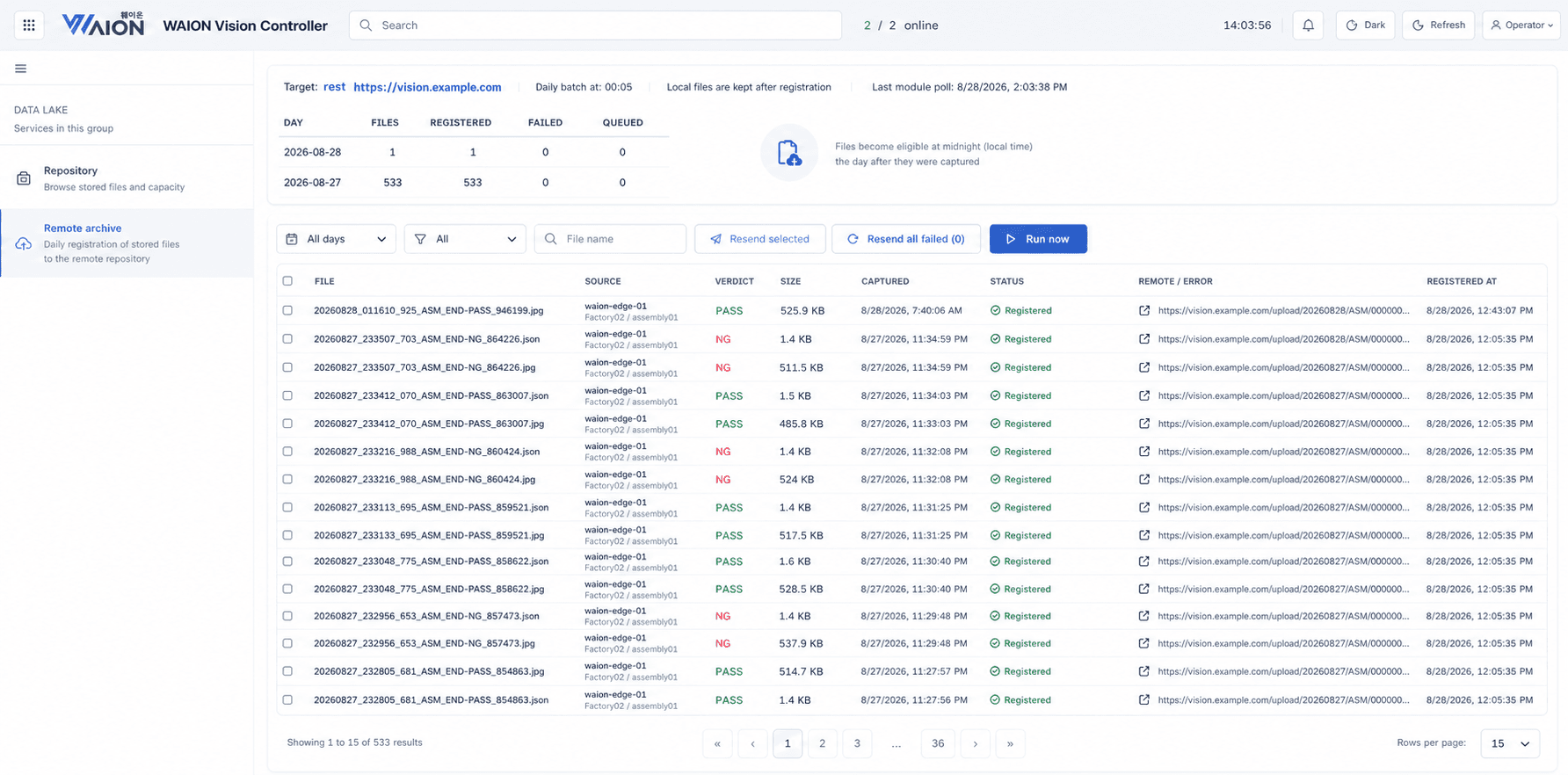
Remote archive
Stored files are registered to the remote repository on a daily batch, so on-site storage is emptied before it fills. Failed transfers are listed rather than silently dropped, and can be resent in a click. Each row keeps the remote URL it landed at, so a file can be traced end to end.
Every Product Gets One of Three Answers
Clear, consistent, and traceable — three states the shop floor already understands.
- NGNo Good
- Detects the defect and shows the cause, turning findings into on-site correction — not just disposal.
- OKPass
- Meets the standard and moves on to the next process, recorded with confidence score and timestamp.
- NRNo Read
- Low-confidence verdicts are routed to manual recheck. Nothing passes arbitrarily.
Contact
Leave us a message and our team will get back to you shortly.
See OK / NG / NR verdicts on your actual products. From planning to installation and setup, we're with you on-site.